
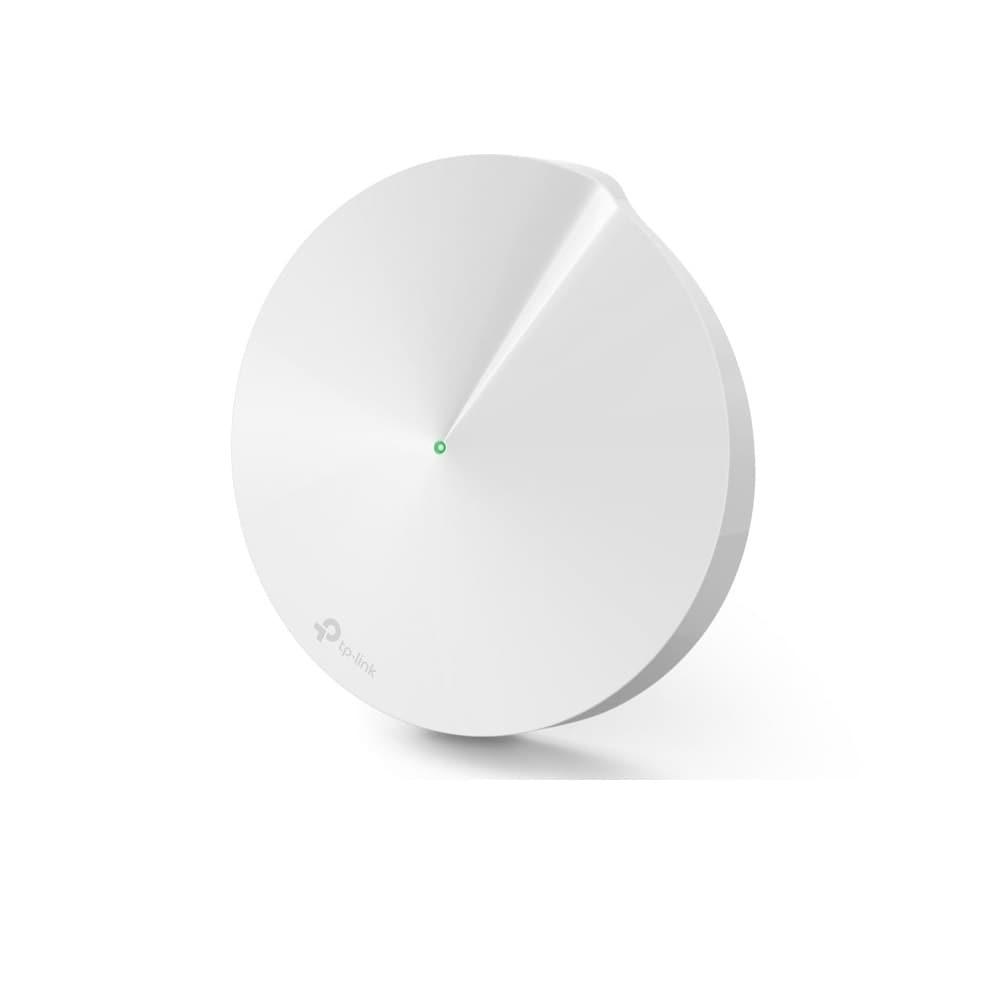
Deco M5 Mesh Wi-Fi System
Amazon India leads (the product page when we have it, otherwise an Amazon search), followed by verified trusted-store links (Flipkart, official brand stores, Croma, Reliance Digital, HealthKart, Nutrabay, …). Affiliate links - we may earn a small commission at no extra cost to you. How this works.
What people loved
-
“I’m a huge fan of TPLink Deco for people who want a mesh system that just works. Easy to set up and manage and very reliable in my experience.”
-
“ethernet is always the best solution.. then add an AP. mesh is next best.. look at unifi but my favourite is tplink deco, easy and quick to setup”
-
“I've had good experiences with TP-LINK; 7 devices at a site going on five years, 6 of them outdoors, and no problems, except when I have to add a new device and I've forgotten how to use Omada. Pretty much every consumer TP-Link thing has multiple configuration options,… [truncated] …”
Common complaints
-
“Between those two, the Eero by a country mile. I've had TP-Link stuff on my network before, lasted about 2 months before I got sick of my IDS system sending alarms from it all the time, their software design and firmware is just potato quality.”
-
“TP-link has two mesh systems that are not compatible with each other. The thing you're trying to get is a wireless backhaul to a node. Deco nodes… [truncated] …”
-
“Just got a flint 3 and it's miles better than the tplink deco mesh I had”
Specifications
Specs aren’t in our database for this product yet. We’ll add them as part of the next pipeline run. In the meantime, the Amazon.in listing has the full datasheet.
Reddit discussions
5 of 229-
neutralhomenetworking “I crimped my first RJ45!”So I’m just a regular CS Student with no in-depth knowledge of physical networking (Ethernet wires etc) and my family got a mesh WiFi system from TP Link which had a Ethernet backhaul support (which we really wanted as our walls are thick and don’t transmit WiFi well enough) and I had a Ethernet wire in the wall of my room terminating at my router at the other side of the house but the only issue was that the pin was broken! So it made a loose connection limiting speeds to 100Mbps. I got a crimping tool myself for really cheap price and couple of RJ45 heads, and looked into the working of Ethernet and twisted pair cables, and found that we follow 2 standards for pin alignment (T568A&B). Initially I struggled a lot (breaking few twisted wires while aligning them due to too much pressure, Inserting the pin up-side down hence having a correct but totally opposite alignment!, snipping too much wire by accident etc) however I was finally able to align and crimp em down correctly. Further I got the hang of it well enough to crimp 2 more broken wires in my house! It may not look like a big achievement to most, but I was always intrigued by networking and always wanted to try something like this and seeing it work is absolutely beautiful!. So if anyone is trying to do something like this and failing, don’t give up cause once it works it’s the best feeling in the world!!
-
neutralhomenetworking “Outdoor Access points: tuning to not be “too loud””Picture of the dog and taking zoom calls outside as a tax for reading. I recently added a [TP-Link Omada outdoor access point](https://store.omadanetworks.com/products/omada-ax1800-indoor-outdoor-dual-band-wi-fi-6-access-point-with-external-antennas-eap603-outdoor?_pos=2&_psq=eap630+outdoor&_ss=e&_v=1.0) to my setup, so now I can work from outside when doing tasks that don’t require my full multi-monitor desk setup. That said, I want to be a good neighbor in the WiFi spectrum. It’s currently running in mesh mode with a PoE injector (properly protected) until I can get a cable ran from my PoE switch out to it. I’m only using 2.4 and 5ghz (no 6ghz gear yet), and I keep my 2.4 on the “friendly” channels of 1,6,11. I also have my 5 ghz set to 40mhz channel width, both for less interference from walls and other signals, and because I don’t need the speed from 80/160 when outside. I don’t want to be “screaming” signal and possibly interfering with neighbors. Most of my neighbors have AT&T fiber and use their BGW320 gateway, which constantly auto seeks channels (and not always 2.4 friendly ones) and broadcasts at full strength. Our yards are small as well. What would be signs I have my signal strength set correctly, without being too strong? I don’t want to sit in my yard and test every signal, and I need a little extra for when one of those AT&T gateways decides to sit on my channel as well.
-
neutralubiquiti “Enterprise network engineer discovering Ubiquiti for the first time... is it really worth the hype?”There’s a saying in my language that “the shoemaker goes barefoot.” I’ve been working professionally in networking for around 20 years, last 10 years in virtualized network functions, mostly in enterprise environments, but when it came to my own home network, like an average engineer, I was always lazy and went with the simplest possible plug-and-play solutions. My current setup is finally starting to drive me crazy enough that I decided it’s time for a full reset and replacement of everything. I started reading online about recommended gear and kept running into Ubiquiti. Honestly, I barely knew the company before. My background is much more enterprise-focused with vendors like Cisco and Juniper Networks, and I’m much less familiar with the whole prosumer/home-lab ecosystem. Right now I have an aging TP-Link Deco X20 mesh setup with couple of gigabit dumb switches, which is obviously the first bottleneck. My internet connection is 2 Gbps symmetric fiber from Odido here in the Netherlands, if that matters. The ISP provided a Nokia box that converts the fiber to RJ45 VLAN 300 (I checked with Wireshark). Maybe it does more than just media conversion, maybe authentication too, so I assume I probably still need to keep using it? The house itself is wired mostly with Cat5e (not by me :) ) , so realistically I guess 2.5 GbE is probably my practical limit anyway. My plan is to build the new setup slowly instead of buying everything at once. Eventually I’ll probably add cameras, recording, and all the other toys too, but first I want to understand whether this ecosystem is really for me. What I’m trying to figure out is this: Reading between the lines here, people seem *extremely* happy with the company, the ecosystem, the management interface, and the overall experience. I started roughly planning a setup for my house and somehow ended up in the €3000-4000 range without even going completely crazy... router, a few switches, and 4-5 Wi-Fi access points. And now I’m also trying to understand whether this is basically the networking version of the Apple ecosystem effect where people buy one product, really like the quality and user experience, and then slowly find themselves buying more and more gear because everything integrates nicely together... So I guess my real question is: Is Ubiquiti actually that good for home/prosumer use and worth the investment, or is part of this just the ecosystem psychology pulling people deeper and deeper into it because of their attention to details / marketing / whatever.. ?
-
neutralubiquiti “I'm giddy that I did something cheap and useful. I now have a backup WAN that is my neighbor's wifi.”I recently upgraded to fiber. My neighbor is still on Cox. I work from home and am a bit concerned about the quality of my connection as the fiber company is still building out in the area and may have some growing pains. I thought about getting some kind of backup internet connection but the cheapest 5G plans are 30 bucks a month and that's an awful lot for a network I will hopefully never use. Then I thought about paying the $25 a month for the 5g connection on my truck and just using that as my backup, but I'd have to be in/near the vehicle and have it on to do so. That started me down a rabbit hole that ended here. I picked up a TP-Link AC2600 Wifi Extender for 70 bucks. There's cheaper options but this one looked nice and had a gigabit ethernet connection. Then my neighbor made a wifi SSID just for me to connect this extender to. I ran the ethernet from this extender to port 8 on my Dream Machine Pro and configured the port as a backup WAN port. I now have a backup WAN running on Cox, coming from my neighbor's wifi across the street. The connection is pretty atrocious with a 45ms ping and a speed of 15Mpbs up / 8Mpbs down but it's there and it only cost me the one time price of getting a wifi range extender. I could probably get it improved if he moved his access points but I'm taking the win as-is. I'm going to help set him up with a similar backup scheme, provided he has a second WAN port on his router. Already have an isolated SSID that I can set up with bandwidth restrictions if necessary. I *really* hope he doesn't decide to upgrade to fiber as well. edit: For those who come after, I had to set up a custom SLA on the WAN connections. Ubiquiti's default SLAs that determined when a wan connection was down were too aggressive. I wanted the fiber to be REALLY down so I set it from the default of being down on 2 of 3 pings with 20% packet loss to being down on 3/3 pings with 50% packet loss. I may even want to up that becase I want it only to switch when the signal is basically gone.
-
neutralspectrum “My best decision: Getting rid of the Spectrum router”This might be obvious to a lot of people, but replacing the Spectrum router with [a TP-Link router](https://www.amazon.com/dp/B08H8ZLKKK) made my life so much better. The issues I faced before I switched router, that are now gone: * Losing Wifi on mobile devices: Sometimes just disconnected and forced me to reconnect with the password again. Quite frustrating with a longer password. * Sonos disconnecting: Very often my Sonos speakers struggled to connect, lost connection, or just didn't show up on the system * TV not connecting when waking from hibernation: Often had to fully restart the smart TV to get a proper connection to the wifi * Chrome cast lagging: Casting video from my computer to the TV ended up showing the video on the TV in slow motion. I tried to resolve many of these issues by optimizing which units are on which bands etc, but never really got it working well, until I bought a new router that just solved all of this without any additional setup. If you're having struggles like these, I really recommend investing $60-80 in an okay router. Nothing fancy needed, just get something off Amazon and you'll be very happy you did!
Discussions analyzed
-
homenetworkingI crimped my first RJ45!“So I’m just a regular CS Student with no in-depth knowledge of physical networking (Ethernet wires etc) and my family got a mesh WiFi sys...”1 mention · ▲ 387 View →
-
homenetworkingOutdoor Access points: tuning to not be “too loud”“Picture of the dog and taking zoom calls outside as a tax for reading. I recently added a [TP-Link Omada outdoor access point](https://st...”1 mention · ▲ 297 View →
-
ubiquitiEnterprise network engineer discovering Ubiquiti for the first time... is it really worth the hype?“There’s a saying in my language that “the shoemaker goes barefoot.” I’ve been working professionally in networking for around 20 years, l...”1 mention · ▲ 144 View →
-
ubiquitiI'm giddy that I did something cheap and useful. I now have a backup WAN that is my neighbor's wifi.“I recently upgraded to fiber. My neighbor is still on Cox. I work from home and am a bit concerned about the quality of my connection as...”1 mention · ▲ 97 View →
-
spectrumMy best decision: Getting rid of the Spectrum router“This might be obvious to a lot of people, but replacing the Spectrum router with [a TP-Link router](https://www.amazon.com/dp/B08H8ZLKKK)...”1 mention · ▲ 61 View →